Myntra, the beauty and lifestyle e-commerce platform, reached a major milestone by exceeding the Rs 6,000 crore revenue mark in the fiscal year ending March 2025. Its profit after tax (PAT) grew 12 times during this period.
Myntra’s revenue from operations rose by 18% to Rs 6,042.7 crore in FY25, up from Rs 5,121.8 crore in FY24, according to its consolidated financial statement filed with the Registrar of Companies (RoC).
Whether you are a fashion brand, manufacturer, or a startup exploring dropshipping, selling on Myntra can be highly profitable provided you follow the right strategies and best practices.
Documents Required to Sell on Myntra:
To successfully complete your Myntra seller registration, the following documents are required:
- PAN Card of the business or individual
- GSTIN (Goods and Services Tax Identification Number) certificate
- Cancelled cheque of the business bank account
- Authorized signatory’s signature copy
- Trademark registration certificate or an authorization letter/NOC from the brand owner on official letterhead
How to Sell On Myntra?
Step 1: How to Register as a Seller on Myntra
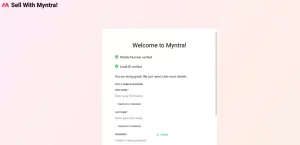
Begin by visiting Myntra Partners and selecting the Register option. Simply enter your mobile number, which will be verified via an OTP.
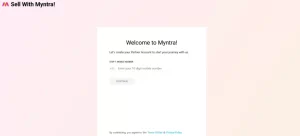
Next, enter your organization’s primary email ID. This email will serve as the main point of contact and will be essential for managing and operating your Myntra seller account.
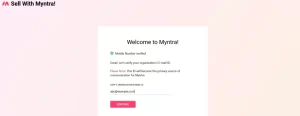
Next, you will be prompted to set a password for your seller account. Once completed, you can log in to partners.myntrainfo.com using your registered email ID and password, and proceed to complete your account setup in six simple steps.
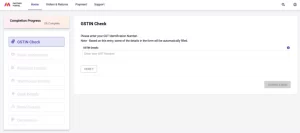
Step 1: GSTIN Check
Begin the process by entering your business GST details and clicking Verify. After you confirm the business information, click Confirm & Next to continue.
Once confirmed, the section will be marked with a green tick, and all other sections will be available. You can complete these sections in any order you prefer.
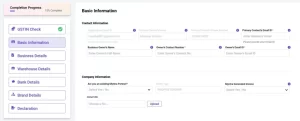
Step 2: Basic information
Basic information, including your organization’s email ID and registered mobile number, will be auto-filled. You will only need to provide the primary contact email of the business owner.
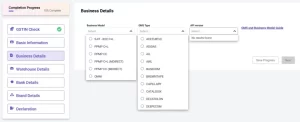
Step 3: Business details
In this section, you’ll need to select the business model under which you wish to operate.
- If you plan to use a paid third-party Order Management System (OMS) to handle inventory and order processing, choose PPMP C Plus L.
- Then, select your service provider from the dropdown menu and specify the OMS version you intend to use.
- If you are uncertain about the OMS version, you may contact your OMS provider for clarification.
- If you prefer to use Myntra’s free order management system to manage inventory and process orders, select PPMP C Plus L M directly.
- Additionally, if you wish to fulfill orders through your retail stores, you can select the Omni option under the business model section.
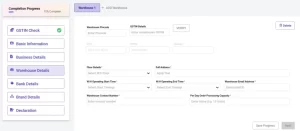
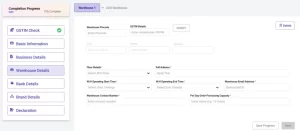
Step 4: Warehouse details
- Enter your pickup address You can add multiple pickup locations by clicking the Add Address button.
- The PIN code entered for your warehouse must correspond to the same state for which you provided GSTIN details in Step 1.
- If the address belongs to a different state, the system will prompt you to provide the GSTIN details for that state, along with the complete warehouse address, email ID, and contact number of the warehouse manager.
- Next, specify your daily order processing capacity, i.e., the number of units you can pack and dispatch for orders received from Myntra in a single day.
- The Partner Warehouse Code provided by your third-party OMS service provider helps identify the specific warehouse where orders are received on Myntra before being processed further.
- If you have selected the Mdirect model, this field will not be required. Once all details are entered, click Next to proceed.
Step 5: Bank details
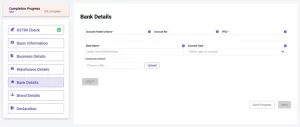
- Enter your bank details, including the account holder’s name, account number, IFSC code, bank name, and account type. Make sure the account is in the name of your registered business.
- Upload a copy of a canceled cheque for verification. Note that the cheque must have your registered business name printed, not stamped.
- Ensure that the account provided is not a savings account. After entering the details, click Verify.
- A small amount will be credited to your account for verification. You will then need to enter the exact credited amount to confirm your bank details.
- If the bank verification does not complete automatically, your onboarding process will still continue. The Myntra team will manually verify the details and contact you if any clarification is needed.
Step 6: Brand details
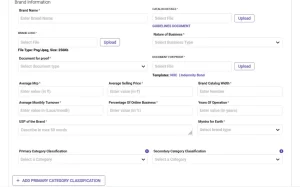
- In the final step, you need to provide brand details for evaluation.
- You can submit information for up to 10 brands you want to onboard on Myntra. Enter the brand name and download the guideline Excel sheet to record your catalog details.
- Complete the Excel sheet and upload it in the Catalog Details section. Additionally, upload your brand logo, proof of business nature document, and specify the average MRP for your brand. The average MRP minus discounts will determine your average selling price. Include your brand’s overall catalog width and other relevant details.
- Enter your brand’s Unique Selling Proposition (USP) to help Myntra evaluate your profile better.
- If your brand is sustainable and you want to participate in the Myntra for Earth initiative, select the relevant options like recycled, non-toxic, organic, and more from the dropdown menu.
- Choose the right primary and secondary category classifications for your brand, and provide your assortment breakup details.
- Enter the average selling price and catalog width at the article-type level. You can add multiple article types by clicking the Add Article Type button.
- If you are selling apparel, provide the necessary sizing information in this section. After filling in all fields, click the Declaration tab and submit your details.
- Once submitted, the Myntra team will review your application and reach out if they need any more information or clarification.
Why Sell on Myntra? Key Benefits for Sellers
- Reach 40M+ Consumers Across 17,000+ Pin Codes
Grow your business by joining India’s top platform for fashion, beauty, and lifestyle. Myntra connects you with over 40 million active shoppers in more than 17,000 pin codes, helping you reach customers all over the country.
- Complete Control Over Your Merchandise
As a Myntra seller, you have complete control over your products. You decide on quality, pricing, inventory, and quantities, so you can run your business your way and protect your brand.
- Faster Delivery with Myntra M-Express
Shoppers today want both style and quick delivery. With Myntra M-Express, your products reach customers in just 24 to 48 hours, making the delivery process faster and more reliable for a better shopping experience.
- Advanced Seller Insights & Data Analytics
Stay ahead with Myntra’s real-time analytics dashboard. You can see detailed insights, track your performance, and use data tools to improve your sales and grow your business.
- No Payment Gateway Setup Required
Myntra makes selling easier by handling all payment processing with trusted partners, so you don’t need to set up a separate payment gateway.
- Secure & Verified Seller Ecosystem
Myntra offers a safe, transparent, and verified platform for sellers, ensuring a secure environment to conduct business and build long-term customer trust.
Suggested read